


No. EZRS supports Excel import today, and you can keep using the spreadsheets and files you’re used to alongside it. EZRS is built to remove the rebuilding and re-entry, not the tools you already rely on.
Reserve Study Software Built to
Make Planning EZ
EZRS is reserve study software, tailor-built by software professionals for the reserve planning industry — not a spreadsheet with a new coat of paint. Keep the spreadsheets you already rely on, or leave them behind. Either way, you stop rebuilding your model from scratch every time something changes.
Quick Value Strip
Four ways EZRS saves you time — starting the moment you log in.

No Extra Steps
Set up, adjust, and generate a plan without starting over every time something changes.

Ask As You Go
Not sure what to enter? Ask your AI sidekick, built right into the platform.

Everything in One Place
Property setup, funding scenarios, and reports, all in one workspace.

Minutes, Not Months
Adjust a funding scenario without rebuilding a model from scratch.
Who It's Built For
Built for the people who plan for what's ahead.
Reserve Professionals
Deliver studies under your own firm’s brand, on a system built to move as fast as you do.
Reserve Management Companies
See every property and portfolio you manage in one dashboard — status, team activity, and progress at a glance.
Property Owners & Operators
See where your reserves stand and what’s coming next, without needing to be a financial analyst. [
Full Product Walkthrough
From setup to signed-off report, in one workspace.


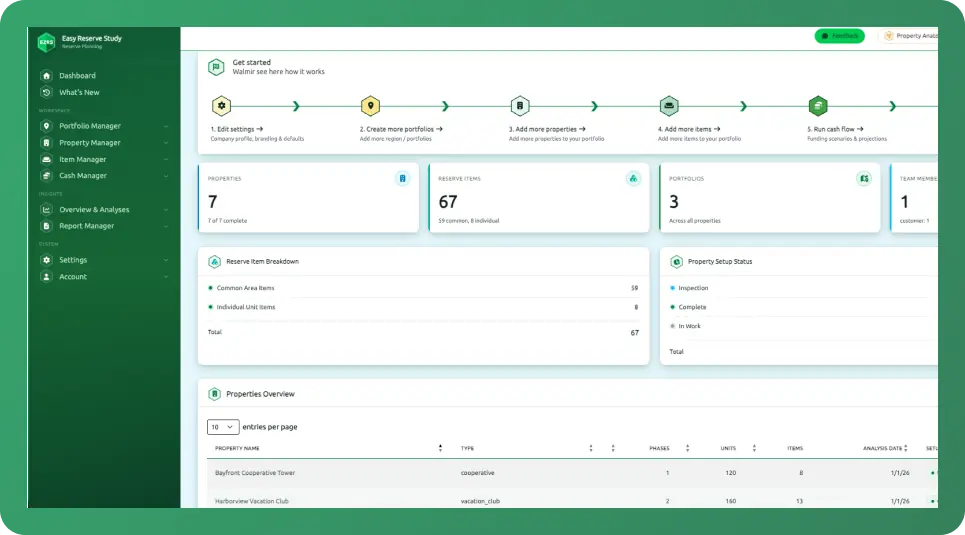
Assets
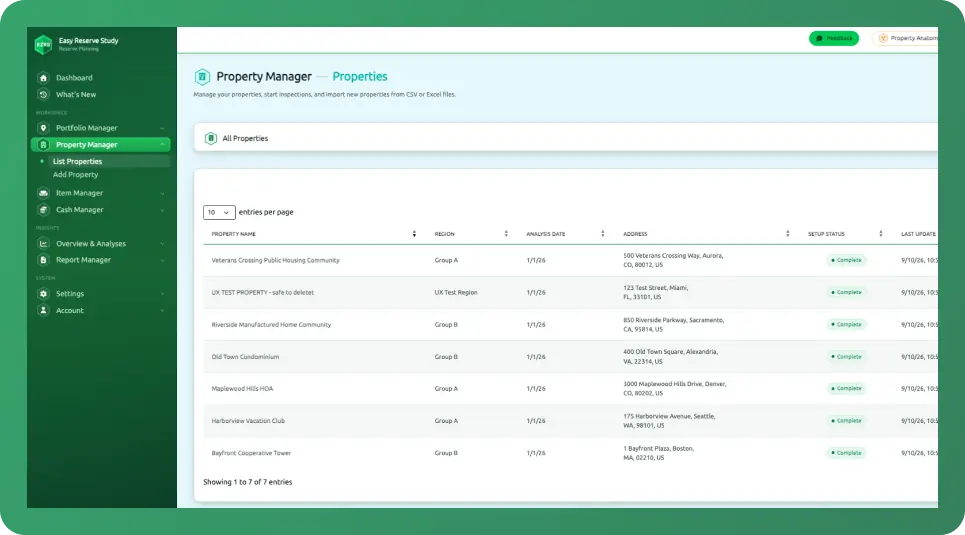
Set up properties, units, and structures once. Reuse them every time you plan.
Assumptions
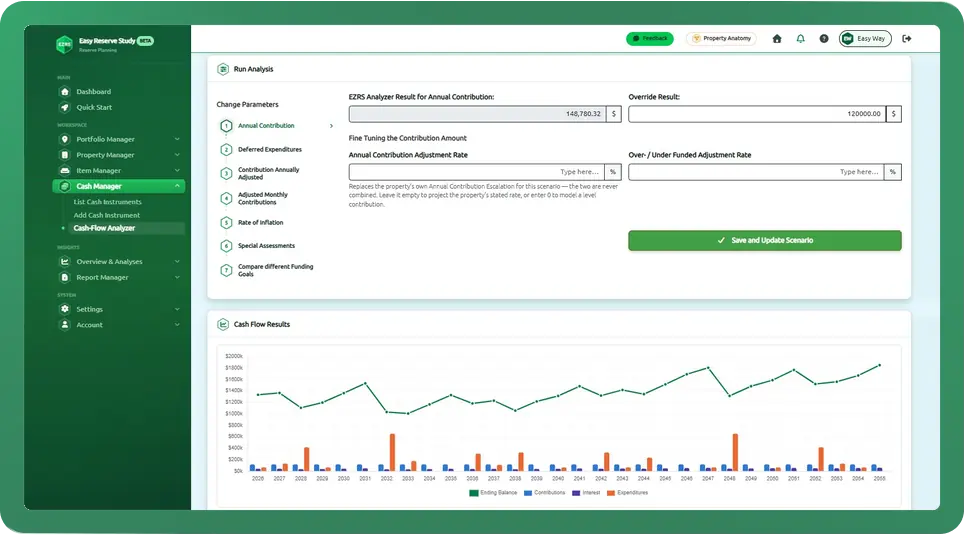
Set funding, inflation, and contribution inputs. Change one assumption without rebuilding the whole model.
Components
Define lifecycle and grouping details for every reserve item. Not sure what to enter? Ask your AI sidekick for a quick, accurate answer without leaving the page. Scenarios — Model funding strategies and compare options against each other in real time.
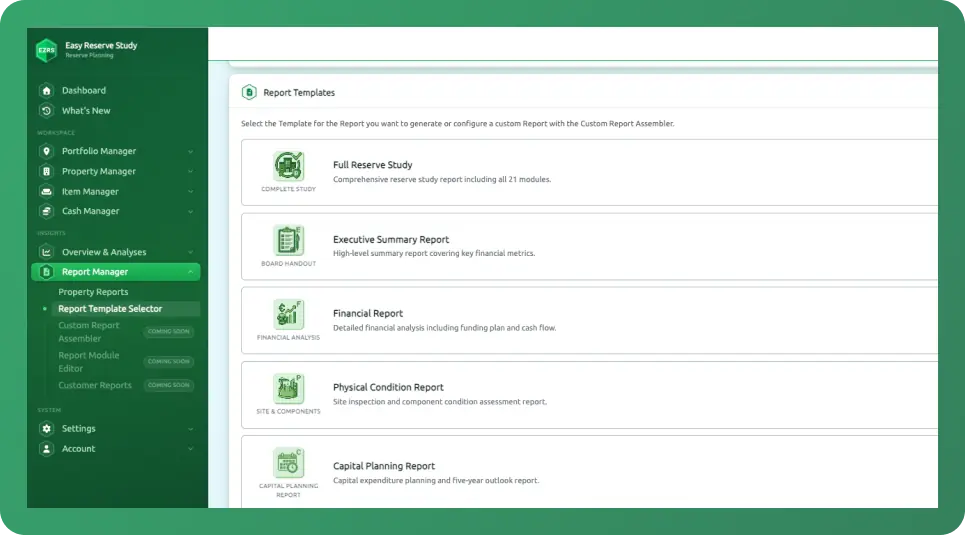
Reports
enerate a report any time. Every report is saved, so you can pull it up later and compare it against past reports for the same property.
Key Differentiators
Other reserve study software just digitizes your spreadsheet. EZRS connects it to everything else.

One System, Full Lifecycle
Property setup, funding scenarios, and reports in one connected workflow, not a stack of spreadsheets or separate tools.

Powerful Modeling, Simplified
Build and adjust multi-decade funding models without rebuilding from scratch every time an assumption changes.

Built to Scale With You
Whether you’re managing one property or an entire organization, the same structure holds up.

Live, Connected Data
Your workspace always reflects current data — not a static export that’s already out of date by the time it’s reviewed.

Unlimited Team Access
Add your whole team to one account, working from the same live data. Every change is tracked, so you can always see who changed what and when.

Excel Import, With More Coming
Bring reserve items in through a provided Excel template today. Full reserve study import is on the roadmap.
Software Expertise + AI-Augmented Approach
EZRS is software, built by software experts — and that's exactly what makes it EZ
EZRS wasn’t built by reserve professionals who picked up some software along the way. It was built by engineers who took real technical depth into an industry that had never had it applied properly — and that same expertise is what makes it possible to build software this easy to use.
Right now, that shows up as your AI sidekick: built into your workspace, ready wherever you’re working. Filling out a reserve item and not sure what useful life to enter? Just ask — get a fast, accurate answer without breaking your flow to go search for it elsewhere.
This is the beginning of what AI-augmented reserve planning means for EZRS, not the end of it — and every step forward gets built with the same discipline: real capability, clearly explained, never oversold.

FAQ
Yes. You can import reserve items using a provided Excel template, or enter data manually. Full reserve study import is on the roadmap.
EZRS follows a five-step workflow: set up your properties and assets, define your assumptions, detail your components, model funding scenarios, and generate reports — all in one connected workspace.
Reserve study software helps reserve professionals and property managers plan, model, and report on the long-term capital needs of a property or portfolio, without the manual rebuilding and re-entry that spreadsheets and static reports require.


